Model BR151Setup, controls, maintenanceReviewed 2026-07-28
Setting up the ZCWA BR151 takes four steps: peel off every protective film, clip
on the two side brushes, place the dock against a wall with clear space around it, and charge the
robot fully — about 300 minutes — before the first run. The app is optional; the remote and the
button on the lid work with no network at all.
What this ZCWA robot vacuum manual covers
Everything below applies to the ZCWA robot vacuum and mop combo manual as shipped in the box:
first-time setup, the control panel, every remote button, how to fit and fill the water tank, the
maintenance schedule and the safety notes. The ZCWA robot vacuum and mop instructions are the same
for every colour variant of model BR151.
First-time setup, step by step
Unpack and strip the protective filmTake the robot, dock, adapter, remote, dustbin, water tank, side brushes and filters out of the box. Peel every protective film off the robot and the dock — the sensor windows are covered in transit and the robot will behave strangely if they stay on.
Clip on the two side brushesThe side brushes push onto the two posts on the underside of the robot until they click. They are interchangeable; there is no left and right.
Position the charging dockPut the dock flat against a wall on a hard floor, plugged in and switched on. Leave about 1 m (3 ft) clear either side and 2 m (6 ft) clear in front. Do not place it in a corner, behind a door or on carpet.
Charge it fully before the first runSit the robot on the dock so the metal contacts meet. A full charge from empty takes about 300 minutes. The indicator on the lid shows charging status.
Fit the remote batteriesTwo AAA cells go into the remote. The remote works immediately, with no pairing step and no network.
Clear the floor before the first cleanPick up charging cables, phone chargers, loose socks, rug tassels and anything light enough to be dragged. This one habit prevents most of the stoppages people report.
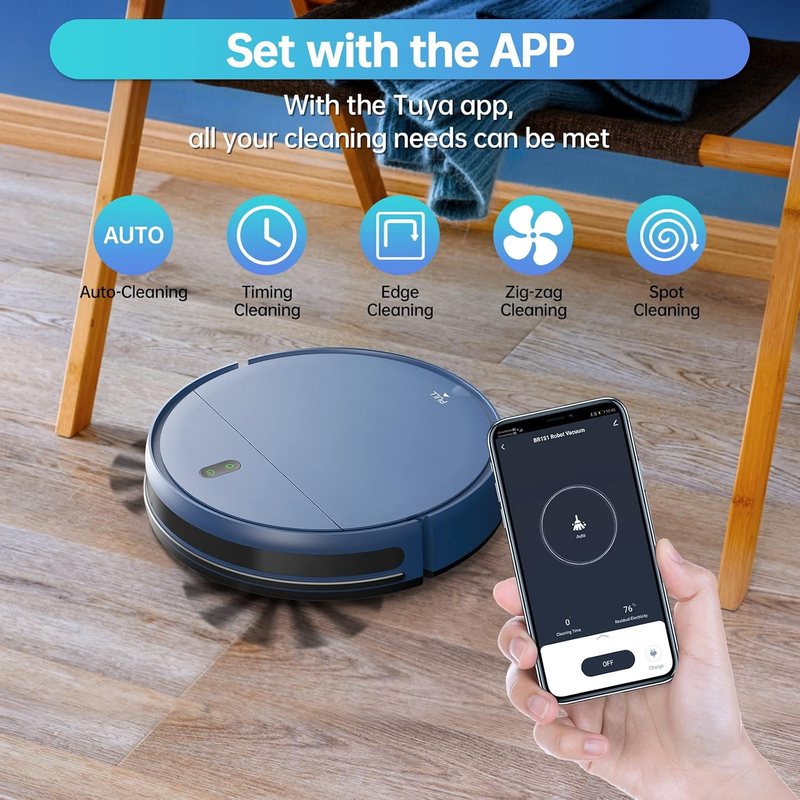
Start a runPress the button on the lid, press AUTO on the remote, or start it from the Tuya Smart app. The robot begins an Auto clean and returns to the dock when the battery runs low.
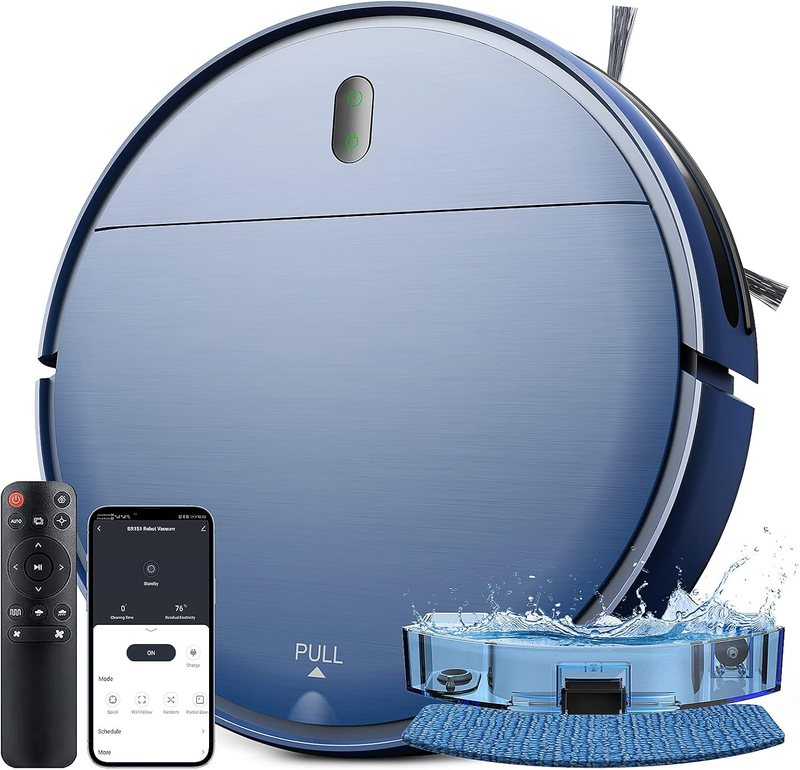
Add mopping when the vacuuming is provenFill the 230 ml tank, attach the damp washable cloth, clip the tank to the rear of the robot and pick a water flow level. Take the tank and cloth off again before running over carpet.
Controls on the robot
There are two indicators and one button on the lid. A single press starts an Auto clean; a
second press pauses it. Holding the charging button for about three seconds puts the robot into
Wi-Fi pairing mode. The dustbin releases at the PULL tab on the top surface.
Remote control reference
What each control on the BR151 remote does
Control
Action
Power
Starts or pauses the current clean
Auto
Runs a full automatic clean of the accessible floor
Home
Sends the robot back to the charging dock
Direction arrows
Drives the robot manually while held
Spot
Spirals over one concentrated area
Edge
Follows walls and furniture lines
Zig-zag
Runs parallel Z-shaped passes for maximum coverage
Schedule
Sets a daily start time
Water level
Switches between the two mopping flow levels
The remote takes two AAA batteries and
needs no pairing.
The same modes are available in the Tuya Smart app and on the remote.
Using the mop
Fill the 230 ml tank with clean water only. No detergent, no floor cleaner, no vinegar — additives clog the electronic nozzle.
Dampen the washable cloth and fasten it to the underside of the tank.
Clip the tank to the rear of the robot until it seats.
Choose a flow level: the lower one for sealed wood and laminate, the higher one for tile.
Remove the tank and cloth before the robot runs over carpet, and rinse the cloth after every use.
Maintenance schedule
Routine maintenance for the ZCWA BR151
Part
How often
What to do
Dustbin
After every run
Empty it; in a home with pets this is not optional
Mopping cloth
After every mop
Rinse and hang to dry, never store it wet on the robot
Filter cotton
Weekly
Tap out or rinse and dry fully before refitting
Side brushes
Weekly
Unclip and cut away wound hair and fibres
Cliff and obstacle sensors
Fortnightly
Wipe with a dry cloth — dusty sensors cause hesitation and odd turns
Charging contacts
Monthly
Wipe the plates on the robot and the dock
Wheels
Monthly
Clear hair from the axles and check the front castor spins freely
Water nozzle
Every 1–2 months
Soak in warm water or white vinegar to clear limescale
Filter cotton replacement
Every 2–3 months
Fit one of the four spares from the box
The reasoning behind each of those intervals, and what goes wrong when one is skipped, is in the
maintenance guide. Homes with a shedding animal
should also read the pet hair guide, where the
intervals are tighter.
Safety notes from the manual
Do not run the robot where there are open flames or flammable liquids.
Keep hair, loose clothing and fingers away from the intake while it is running.
Never run it without the dustbin and filter fitted.
Do not let children ride on or play with the robot.
Use only the supplied adapter and dock.
Manual and instructions FAQ
Where can the ZCWA robot vacuum and mop manual PDF be downloaded?
A printed manual ships in the box. If it has been lost, ZCWA support will send the PDF on request — email [email protected] with the model number (BR151) and the order number. The full setup, controls and maintenance instructions are also written out on this page.
What do the buttons on the remote do?
Power starts and stops a clean. AUTO begins a full automatic run. The home button sends the robot back to the dock. The four direction arrows drive it manually. The mode buttons switch between Spot, Edge and Zig-zag, and the remaining buttons set the schedule and the water flow level.
How is the ZCWA robot vacuum reset?
Switch the power off at the side of the robot, wait ten seconds and switch it back on. That clears most stuck states. To unpair it from Wi-Fi and start the network setup again, hold the charging button for about three seconds until it beeps, then re-add it in the Tuya Smart app.
How often should the filter be changed?
Rinse or tap out the filter cotton weekly and replace it roughly every two to three months, sooner in a home with pets. Four spares are included in the box.
Why does it beep on the dock when it is already charged?
Repeated beeping on a fully charged dock usually means the contacts are dirty or only just touching. Wipe both the robot's charging plates and the dock contacts with a dry cloth and reseat the robot. If the beeping continues, contact support.
Still stuck? The troubleshooting page covers charging, suction, mopping and
connection faults, and the app setup guide covers Tuya, Alexa and Google Assistant.
Model BR151 · ASIN B0B81SWDL1
ZCWA Robot Vacuum and Mop Combo (Blue)
1400 Pa suction with a brushless intake, so long hair passes straight into the 0.2 L dustbin instead of winding round a roller
230 ml electronic water tank with two flow levels for laminate, tile, granite and sealed parquet
2500 mAh battery, roughly 100 minutes of cleaning and up to 1290 sq ft per charge, then it finds the dock on its own
2.87 in tall — clears the gap under most sofas, beds and kitchen kickboards